Environmental Hazards — Hazard Guide | Burglin' Gnomes
Flooded toilet, fire causes, ragdoll events, vehicles, and unusual movement tools can break normal routes. Check each hazard alone first. Do not stack unknown hazards with enemy pressure on a clean run.
Environmental Hazards — danger and role
Environmental Hazards behavior and attack pattern
Flooded toilet, fire causes, ragdoll events, vehicles, and unusual movement tools can break normal routes.
How to survive Environmental Hazards
Check each hazard alone first. Do not stack unknown hazards with enemy pressure on a clean run.
Environmental Hazards field guide
Environmental hazard quick answer
Environmental hazards are route failures caused by water, fire, moving machines, falls, ragdoll physics, or event interactions rather than a normal enemy attack. Treat them as patch-sensitive systems. When something unexpected happens, protect the run first, then test the behavior in isolation. Do not combine an unknown hazard with human pressure, heavy loot, and a required task and then assume the first result is a stable mechanic.
Distinguish a mechanic from a bug
A repeatable mechanic usually has the same trigger and outcome when the room, item, and player role are controlled. A bug may depend on network delay, object position, frame timing, or host and guest disagreement. Reproduce the event in a quiet route with one player acting and one observing. Record the room, object, task list, host, patch date, and exact sequence. If the second attempt changes substantially, label the behavior Still testing instead of publishing it as a guaranteed shortcut or danger.
Water, toilet, and flood events
Bathroom objectives can involve travel through the toilet, flooding, or flushing an item. Clear the doorway before testing and keep one teammate outside the immediate physics area. Confirm task registration before adding more objects. If a flood changes movement or a player becomes trapped, stop stacking interactions and use the known rescue route. The guide does not assign fixed damage or timing because those values are not established in the current evidence and may change after patches.
Fire and heat routes
Fireplace and kitchen-style events should be approached with an exit already selected. Move only the object needed for the task and keep teammates away from the active interaction area. If fire appears to spread, damage, or ragdoll differently than expected, leave and repeat the test without enemies or extra clutter. Never use a clean three-task run to discover whether an unknown fire interaction is safe. The correct first counter is distance and route control, not a guessed resistance value.
Moving machines and vehicle paths
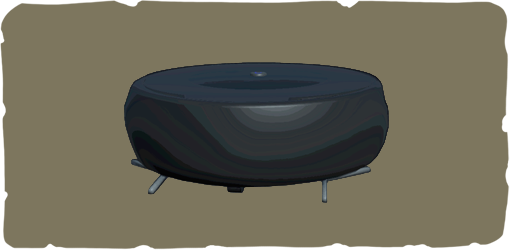
Vacuum Robot and other moving household or vehicle paths can behave like route hazards even when they are listed elsewhere in the bestiary. Watch the travel lane before crossing with heavy loot. Send one light player first, keep a rescuer outside the lane, and avoid dropping task objects in the machine path. If a machine can be interrupted or shut down, verify that behavior on its dedicated page and do not assume the same counter works for every moving object.
Falls, ragdoll, and recovery
Vertical routes, counters, windows, and unusual movement tools can produce falls or ragdoll states that look worse during latency. Before climbing, identify the landing area and whether a teammate can reach it. Spring Shoes may support mobility routes, but the item is not a promise that every fall is safe. If the body becomes weak, stuck, or desynchronized, follow the beginner bug-fix and revival guidance and preserve the task progress instead of repeating the same jump.
Co-op desync protocol
When host and guest see different object positions or player states, stop moving the object and compare what each player sees. Let the host describe the authoritative room state, then attempt one reset or route change. Capture a screenshot from both perspectives if the issue is repeatable. A desync report should not be rewritten as a normal hazard rule. Keeping the two categories separate prevents players from following a counter that only worked because one client had stale information.
Safe testing and reporting checklist
Use a spare run, remove unrelated enemies when possible, and change one variable per attempt. A useful report states what was observed and what remains inferred. After every patch, prioritize hazards that affect task completion, revival, extraction, or saved loot. This produces practical evidence without turning uncertain physics into filler.
- Record patch date, route, task wording, player role, and host or guest status.
- Repeat the event once with fewer objects and no added combat pressure.
- Keep one teammate outside the hazard as a rescue and observation role.
- Link the result to the relevant Bathroom, Vacuum Robot, Spring Shoes, or bug-fix page.
Environmental Hazards route notes
Bug and physics overlap
Some hazards look like bugs until repeated. The beginner page should separate real death, revive, ragdoll, weak-body bugs, and network desync.
More Hazards in the bestiary
Other hazards entries — open a page for danger level, behavior notes, and survival tips.
View all Hazards